

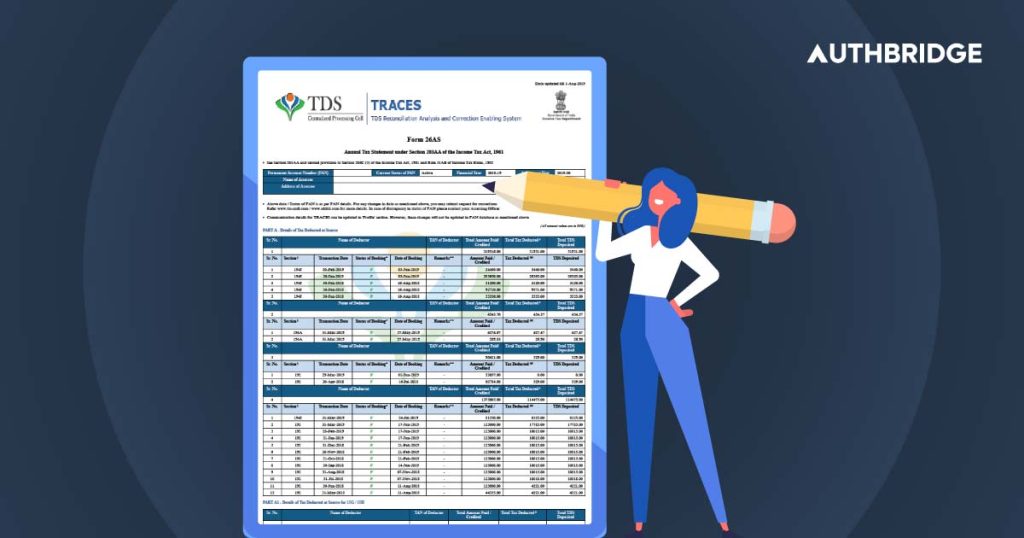

Form 26AS is an annual tax statement issued under Section 203AA of the Income Tax Act, 1961. It contains details of tax deducted at source (TDS), tax collected at source (TCS), advance tax paid by the taxpayer, self-assessment tax, regular assessment tax, and details of refunds received during the financial year. Essentially, Form 26AS is a consolidated tax statement that helps taxpayers cross-check the tax deducted and deposited against their Permanent Account Number (PAN).
Form 26AS is a crucial document for all taxpayers as it serves as a comprehensive record of all tax-related transactions. This form is linked to a taxpayer’s PAN and is available online through the TRACES (TDS Reconciliation Analysis and Correction Enabling System) portal.
Form 26AS can be accessed online through the TRACES (TDS Reconciliation Analysis and Correction Enabling System) portal. Here’s a step-by-step guide to accessing Form 26AS via TRACES:
- Visit the TRACES Website:
- Go to the TRACES website.
- Login with Credentials:
- Use your PAN (Permanent Account Number) and password to log in. If you are a new user, you will need to register first.
- Navigate to View Form 26AS:
- After logging in, select the ‘View Form 26AS (Tax Credit)’ option under the ‘My Account’ tab.
- Select the Assessment Year:
- Choose the assessment year for which you want to view Form 26AS.
- View or Download Form 26AS:
- The form will be displayed on the screen. You can view it online or download it in PDF format for future reference.
Many banks provide the facility to access Form 26AS through their net banking portals. Here’s how you can do it:
- Login to Net Banking:
- Log in to your bank’s net banking portal using your credentials.
- Locate the Tax Section:
- Find the ‘Tax’ or ‘Income Tax’ section in the dashboard.
- Select Form 26AS:
- Click on the link to view Form 26AS. You will be redirected to the TRACES website.
- View or Download Form 26AS:
- After being redirected, follow the steps to select the assessment year and view or download your Form 26AS.
Benefits of Accessing Form 26AS Online
Accessing Form 26AS online offers several advantages:
- Convenience: You can access the form anytime, anywhere, without the need to visit a tax office.
- Real-Time Updates: The online form is updated in real-time, ensuring you have the most current information.
- Accurate Record-Keeping: Downloading and storing the form digitally helps maintain accurate records for future reference.
- Ease of Verification: Online access allows for easy verification of TDS and TCS credits, aiding in accurate tax filing.
Common Issues Related To Form 26AS
1. Mismatched TDS or TCS Details
One of the most common issues faced by taxpayers is a mismatch in the TDS or TCS details in Form 26AS. This discrepancy can occur due to errors made by the deductor while reporting the TDS or TCS to the Income Tax Department. Mismatched details can lead to complications in tax filings and delays in processing refunds.
2. Incorrect Personal Information
Errors in personal information such as PAN, name, or address in Form 26AS can lead to difficulties in tax filings and potential mismatches. These errors usually occur due to incorrect data entry by the deductor.
3. Unreported Transactions
Sometimes, certain transactions may not appear in Form 26AS, leading to incomplete records. This could be due to the deductor failing to report the transaction or delays in updating the information.